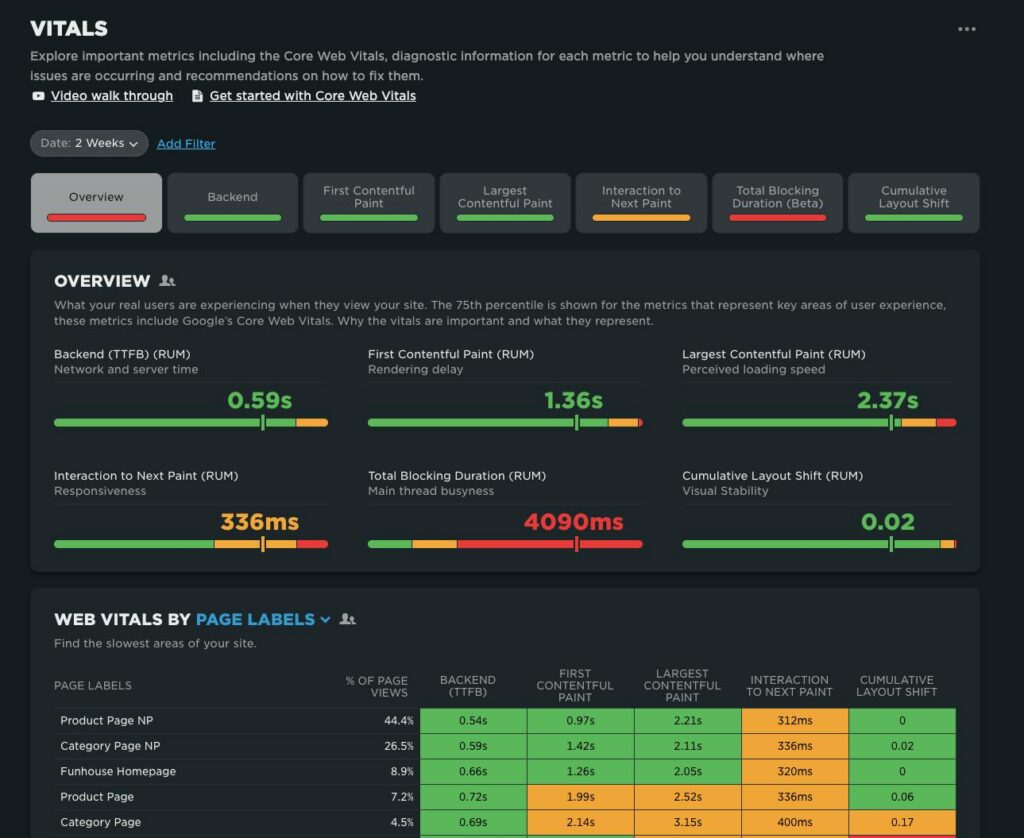
Website performance is more than a Lighthouse score. For a business website, the goal is to make pages feel fast, stable, and responsive while protecting the content and conversion experience.
What are Core Web Vitals?
Core Web Vitals are user-experience metrics used to evaluate important aspects of loading, responsiveness, and visual stability. They are useful because they focus attention on experiences visitors actually encounter.
1. Start with real-user data
Where available, review field data alongside laboratory tests. Lab tools are valuable for diagnosis, but real-user measurements show how the site performs across different devices, networks, and environments.
2. Improve the main content’s loading experience
Large hero images, slow server responses, render-blocking resources, and heavy JavaScript can delay the useful part of the page. Start by identifying what visitors need to see first and prioritize that content.
3. Reduce unnecessary JavaScript
Every script adds work. Audit analytics, chat widgets, tracking tools, UI libraries, third-party embeds, and scripts loaded by plugins. Remove what is not needed and delay non-critical work where appropriate.
4. Optimize images
- Use appropriately sized images.
- Serve modern formats where supported.
- Lazy-load below-the-fold images.
- Do not lazy-load the primary above-the-fold image blindly.
- Reserve dimensions to reduce layout shifts.
5. Protect visual stability
Elements that suddenly move while a user is reading or clicking create a poor experience. Reserve space for images, ads, embeds, banners, and dynamically inserted components before they load.
6. Improve server response
Review hosting resources, caching, database queries, CDN configuration, application code, and third-party dependencies. A slow origin can affect every page regardless of how optimized the browser assets are.
7. Keep the optimization tied to business outcomes
Do not optimize performance in isolation. Prioritize pages that matter commercially: home pages, landing pages, category pages, product pages, lead-generation pages, and high-traffic content.
8. Test mobile separately
Desktop performance can hide mobile problems. Test on realistic mobile conditions and pay attention to large images, interaction delays, sticky elements, menus, and third-party scripts.
A sustainable performance workflow
- Collect real-user data where available.
- Identify the highest-impact templates.
- Run controlled diagnostics.
- Fix one bottleneck at a time.
- Deploy and measure.
- Document the change.
- Repeat.
Performance mistakes to avoid
- Chasing a perfect synthetic score while hurting the user experience.
- Installing multiple optimization plugins without understanding what each changes.
- Lazy-loading everything, including critical content.
- Ignoring third-party scripts.
- Optimizing a low-value page while high-value landing pages remain slow.
- Making large changes without measuring before and after.
Final takeaway
Good performance work is an engineering discipline, not a one-time plugin installation. Measure real user experience, identify the bottlenecks, improve the highest-value templates, and keep monitoring after every major release.
Related: Technical SEO · Website Migration SEO
Watch: Google Search Central on Core Web Vitals
This official Google Search Central video explains Core Web Vitals and how site owners can use performance data when improving web experiences.
Related LogixScale resources
For related technical SEO work, see our technical SEO audit checklist, website migration SEO checklist, internal linking strategy guide, and SEO service.