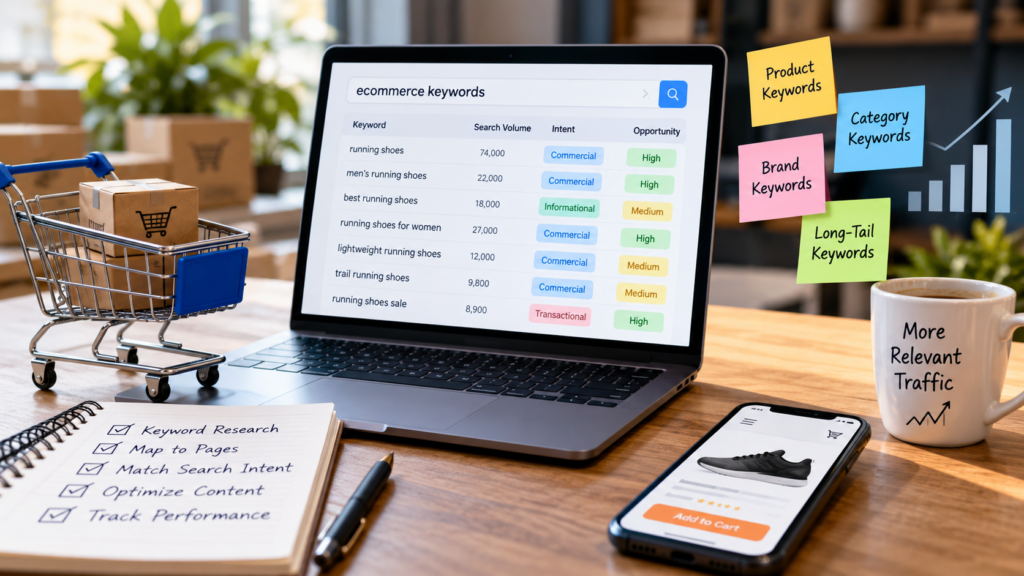
Most ecommerce keyword research produces a spreadsheet. The harder problem is deciding what each keyword should actually do on the website.
A category keyword should usually lead to a useful category page. A specific product query belongs closer to a product page. A comparison query may need a comparison guide. A problem-solving query may belong in supporting content. When these decisions are made consistently, keyword research becomes site architecture rather than a list of phrases.
Quick answer: Ecommerce keyword mapping is the process of assigning search terms to the page type that best satisfies their intent, then organizing those pages into a clear relationship between categories, products, supporting content, and commercial pages. A good map prevents keyword cannibalization, reduces duplicate page creation, improves internal linking, and gives the content team a clear publishing roadmap.
The core rule: Do not create a page because a keyword exists. Create or optimize a page when that page is the most useful destination for the searcher’s intent.
What is ecommerce keyword mapping?
Ecommerce keyword mapping connects a target query to a specific URL, page type, search intent, and role in the site’s architecture.
A simple mapping record might contain:
| Keyword | Intent | Best page type | Role |
|---|---|---|---|
| running shoes | Commercial investigation | Category | Core commercial hub |
| waterproof trail running shoes | Commercial investigation | Subcategory or curated landing page | Specific product group |
| Nike Pegasus 41 | Transactional / navigational | Product | Specific product |
| best running shoes for flat feet | Commercial investigation | Buying guide | Decision support |
| how to choose running shoes | Informational | Guide | Supporting content |
The exact page type depends on the query, the existing website, the catalog, and the actual search results. The point is to make the destination deliberate rather than letting every keyword become another article.
Why keyword mapping matters for ecommerce SEO
Ecommerce sites can contain hundreds, thousands, or millions of URLs. That scale makes duplication and unclear intent more expensive than they are on a small brochure site.
Google’s ecommerce guidance emphasizes clear site structure, useful links between categories and products, and making important pages discoverable through crawlable navigation. Google also notes that it analyzes relationships between pages based on their linkages when understanding site structure. Google’s ecommerce site-structure guidance explains why navigation and internal links matter.
Keyword mapping supports that architecture in several ways:
- It clarifies page purpose. Each important URL has a defined search job.
- It reduces cannibalization. Similar keywords can be grouped when they represent the same intent.
- It improves internal linking. Supporting pages can point toward the category, product, or service they genuinely support.
- It controls content growth. The team can see when an existing page should be improved instead of creating another URL.
- It improves measurement. Performance can be evaluated by page type and intent rather than by a disconnected keyword list.
Step 1: Start with the ecommerce site structure
Before collecting keywords, understand what the store actually sells and how its catalog is organized.
Document:
- primary product categories
- subcategories
- brands or manufacturers
- important product types
- product variants
- high-value products
- existing buying guides
- comparison pages
- supporting educational content
- seasonal collections
- commercial landing pages
This inventory prevents a common mistake: starting with keyword volume and allowing the keyword tool to dictate the website architecture.
The better sequence is:
Business offering → site structure → search intent → keyword groups → page targets.
If the store has no meaningful page type for a valuable intent, that becomes a content or architecture decision rather than an automatic blog-post assignment.
Step 2: Build keyword groups around intent
Do not map keywords one by one at the beginning. First group them by the problem the searcher is trying to solve.
Transactional product intent
These searches often contain a specific product, model, SKU, or strong purchase language. The natural destination is usually a product page when the exact product exists.
Example product-intent queries:
- Samsung Galaxy S25 Ultra 512GB
- wireless noise cancelling headphones
- red leather crossbody bag
Commercial category intent
These searches describe a product class or collection rather than one exact SKU.
Example category-intent queries:
- running shoes
- men’s waterproof jackets
- wireless headphones
- office chairs
These usually belong to category or subcategory pages when the store has a genuine product collection that satisfies the query.
Commercial investigation
These searches indicate that the user is evaluating options rather than looking for one exact product.
Example comparison queries:
- best running shoes for flat feet
- Shopify vs WooCommerce for small business
- best office chair for back support
A buying guide, comparison page, or editorial collection may be a better destination than a standard category.
Informational intent
These queries are primarily about learning, solving a problem, or understanding a product category.
Example informational queries:
- how to clean suede shoes
- what size office chair do I need
- how to choose a running shoe
These are often supporting content opportunities that can then link naturally to relevant commercial pages.
Step 3: Match keyword intent to the correct page type
This is the most important decision in the mapping process.
| Search pattern | Likely destination | Why |
|---|---|---|
| Product name / model | Product page | The searcher wants a specific item. |
| Product category | Category page | The searcher wants to browse a product group. |
| Category + attribute | Subcategory, curated landing page, or category filter when justified | The attribute changes the shopping task. |
| Best + product type + use case | Buying guide | The searcher is comparing options. |
| Product A vs Product B | Comparison | The query explicitly requests a comparison. |
| How to / what is / why | Supporting guide | The primary need is information. |
| Brand + product category | Brand/category page when the store has a genuine collection | The searcher is narrowing by brand. |
These are patterns, not rigid rules. Validate them against the actual search results and the content available on the site.
Step 4: Use one primary intent per important page
A strong ecommerce page can rank for many related queries, but it should still have one clear purpose.
For example, a category page for trail running shoes may naturally rank for variations involving waterproofing, terrain, and fit. That does not mean every variation deserves its own indexable page.
Ask three questions:
- Would a searcher expect substantially different information?
- Would the product set or buying decision materially change?
- Would a dedicated page be useful even if the keyword did not exist in a keyword tool?
If the answer is no, the variation may belong on the existing page instead.
Step 5: Separate keyword variants from separate search intents
Different wording does not automatically mean different pages.
Consider:
- running shoes
- running sneakers
- shoes for running
- best running shoes
These may overlap heavily, but the final decision should come from search intent and the actual search results rather than from the wording alone.
By contrast, running shoes for flat feet may represent a more specific decision problem. If the store has a genuinely useful collection or guide for that need, a dedicated destination may be justified.
The goal is not to force one keyword onto one URL. The goal is to make each important URL the strongest useful answer for a meaningful group of related searches.
Step 6: Map commercial keywords before informational keywords
For ecommerce, start with the pages closest to the catalog and revenue.
A practical order is:
- Products and product families
- Core categories
- High-value subcategories
- Brand/category combinations where meaningful
- Buying guides and comparisons
- Problem-solving and educational content
This creates a commercial foundation before the blog begins expanding.
It also gives informational content somewhere useful to send readers. A guide about choosing a trail shoe should not end with a generic conclusion if the store has a relevant trail-shoe collection it can naturally link to.
Step 7: Build a keyword-to-URL map
A useful spreadsheet can contain more than keyword and volume.
| Field | Purpose |
|---|---|
| Primary keyword | Main search concept. |
| Related keywords | Close variations and subtopics. |
| Search intent | Informational, commercial, transactional, navigational, or problem-solving. |
| Target URL | The current or proposed destination. |
| Page type | Product, category, comparison, guide, etc. |
| Primary category | The product or content hierarchy. |
| Business priority | Importance based on catalog and commercial strategy. |
| Current status | Existing, optimize, create, merge, redirect, or no page. |
| Supporting links | Relevant pages that should link to the target. |
| Canonical | Preferred URL where variants or duplicates exist. |
| Notes | Unique content requirements or risks. |
This turns keyword research into an implementation document that SEO, content, merchandising, UX, and development teams can share.
Step 8: Add a cannibalization decision
Every new keyword group should answer one question before a new page is created:
Does an existing URL already satisfy this intent well?
If yes, the default action should be to improve the existing page rather than create another URL.
Other possible decisions are:
- Merge: combine overlapping content into one stronger page.
- Change intent: reposition one page around a genuinely different search problem.
- Consolidate: retire redundant URLs and preserve the best destination.
- Do not create: keep the topic inside an existing page when a separate URL would add little value.
This is especially important for ecommerce sites because filters, attributes, brands, tags, search pages, and editorial content can all accidentally target the same concept.
Step 9: Handle faceted navigation carefully
Filters can be useful for shoppers but dangerous when every combination becomes an indexable URL.
Google’s documentation explains that faceted navigation can generate very large URL spaces and recommends controlling crawling when those URLs do not provide useful search destinations. Google’s faceted-navigation guidance covers practical approaches.
For every filter combination, ask:
- Does this combination represent meaningful search intent?
- Does it have enough useful products?
- Does it provide unique content or value?
- Would users benefit from finding it in search?
- Can the store maintain it as products change?
If not, do not turn the filter into a programmatic SEO page simply because the URL can be generated.
Step 10: Map internal links alongside keywords
Keyword mapping should produce an internal-linking plan at the same time.
A typical relationship might look like:
Pillar guide → category → subcategory → product
And in the other direction:
Product/category → buying guide → supporting article → related commercial page
Google’s ecommerce documentation recommends making important products discoverable through site navigation and crawlable links. See Google’s guidance on ecommerce navigation.
Use descriptive anchor text, but do not force the exact same keyword into every link. The anchor should tell the reader what they will find on the destination page.
Step 11: Build supporting content around buyer questions
Once commercial pages are mapped, identify the questions that prevent a purchase decision.
For a running-shoe store, supporting content could cover:
- how to choose running shoes
- trail vs road running shoes
- how running shoes should fit
- when to replace running shoes
- waterproof vs breathable running shoes
Each guide should have a clear reason to exist and a natural relationship with the relevant category or product group.
This creates a useful ecosystem instead of a collection of unrelated blog posts.
Step 12: Use structured data on the page type that supports it
Keyword mapping also helps prevent a technical mistake: applying the wrong structured-data type to a page.
Google’s ecommerce documentation says structured data can help Google understand ecommerce content. For product pages, Google supports Product structured data and provides separate guidance for product variants. Ecommerce structured-data guidance and product-variant guidance explain the relevant approach.
Do not put Product markup on a generic blog post simply because the article mentions a product. Markup should describe the page accurately.
Likewise, do not invent prices, ratings, availability, reviews, or other product attributes. Structured data should match the visible and authoritative information on the page.
Step 13: Decide whether a keyword deserves a new page
Use a simple decision framework before creating any new URL.
| Question | If yes | If no |
|---|---|---|
| Is there genuine search intent? | Continue. | Do not create. |
| Does the intent differ from an existing page? | Continue. | Improve or consolidate the existing page. |
| Can the store provide unique useful content? | Continue. | Do not create. |
| Is there a meaningful product/category/use-case relationship? | Continue. | Reconsider the page. |
| Can the page be maintained? | Continue. | Avoid a fragile programmatic page. |
| Can it be internally linked naturally? | Continue. | Reconsider the architecture. |
This keeps the keyword map focused on useful search coverage rather than URL volume.
Step 14: Prioritize the map
Not every mapped keyword needs to be implemented immediately.
Prioritize using a combination of:
- business importance
- search intent
- existing authority
- catalog relevance
- competition
- content quality required
- technical feasibility
- internal-link opportunities
- seasonality
A lower-volume keyword with strong product relevance can be more useful than a high-volume query that has weak commercial alignment. Keep the decision grounded in the site’s actual business and audience.
A practical ecommerce keyword-map workflow
- Inventory the site: export current products, categories, guides, comparisons, and important URLs.
- Collect search themes: combine keyword research with customer questions, site search, merchandising data, and competitor SERPs.
- Cluster by intent: group terms that represent the same search problem.
- Assign page types: product, category, comparison, guide, or another useful destination.
- Map existing URLs: identify what already satisfies each cluster.
- Resolve overlap: merge, optimize, redirect, or do not create where appropriate.
- Map internal links: connect supporting content to commercial destinations and related content.
- Prioritize: choose the highest-value implementation sequence.
- Publish or optimize: create only the pages that pass the usefulness test.
- Measure and refresh: use Search Console, analytics, crawl data, and business outcomes to improve the map.
Example: turning one ecommerce category into a content cluster
Imagine a store selling office furniture. Instead of publishing twenty loosely related articles, build a connected cluster.
| Intent | Target |
|---|---|
| Office chairs | Core category |
| Ergonomic office chairs | Subcategory/collection |
| Best office chair for long hours | Buying guide |
| Office chair lumbar support explained | Supporting guide |
| How to adjust an office chair | How-to guide |
| Specific chair model | Product page |
The supporting guides can link to the relevant category or products when appropriate. The buying guide can compare products and link to the category. The category can link to important products and supporting resources.
The result is a content ecosystem where each page has a reason to exist and a clear relationship with the others.
Common ecommerce keyword-mapping mistakes
Creating a blog post for every keyword
Some keywords belong on category or product pages. A blog is not the default destination for every informational-looking phrase.
Creating city or attribute pages with almost identical content
Programmatic pages need genuine differentiated value. Replacing one variable in an otherwise identical page does not create a useful search destination.
Ignoring existing URLs
A keyword map that only lists new content opportunities misses the most important optimization opportunity: improving pages the site already has.
Mapping by volume alone
Search volume does not tell you which page best satisfies the query. Intent and business relevance still matter.
Forcing one exact keyword per URL
Strong pages naturally cover related variations. The goal is to own a topic and satisfy intent, not to manufacture a separate URL for every wording variation.
Leaving internal links until the end
Internal links are part of the architecture. Plan them while mapping the keywords rather than treating them as a final SEO checklist.
How LogixScale can use keyword mapping as a content system
For a growing ecommerce SEO program, the map should become the source of truth for the editorial calendar.
That means each new article should answer:
- Which pillar does this support?
- Which cluster does it belong to?
- Which commercial page does it naturally support?
- Which existing articles should link to it?
- Which existing URL should not be duplicated?
- What unique information does it add?
LogixScale’s existing ecommerce category page SEO guide, ecommerce SEO audit, internal linking strategy, and technical SEO checklist can serve as supporting resources within this ecommerce SEO cluster.
For businesses that need the technical and strategic work implemented across an ecommerce site, LogixScale SEO services provide the relevant commercial path without turning the educational content into an advertisement.
Final takeaway
Ecommerce keyword mapping is not about putting every keyword into a spreadsheet and assigning it to a new URL. It is the process of deciding which search intent deserves which page, how those pages fit into the site architecture, and how the content ecosystem supports the commercial journey.
Start with the existing site. Group keywords by intent. Map commercial pages first. Use supporting content to answer real buyer questions. Resolve overlap before creating URLs. Build internal links as part of the architecture. Then prioritize the pages that provide the clearest combination of user value and business relevance.
The strongest ecommerce keyword map is ultimately a map of useful destinations—not a map of keywords.
Watch: Google Search Central ecommerce SEO guidance
This official Google Search Central resource complements keyword mapping by showing how ecommerce site structure, product relationships, and discoverability work together.